Read Text File
Overview
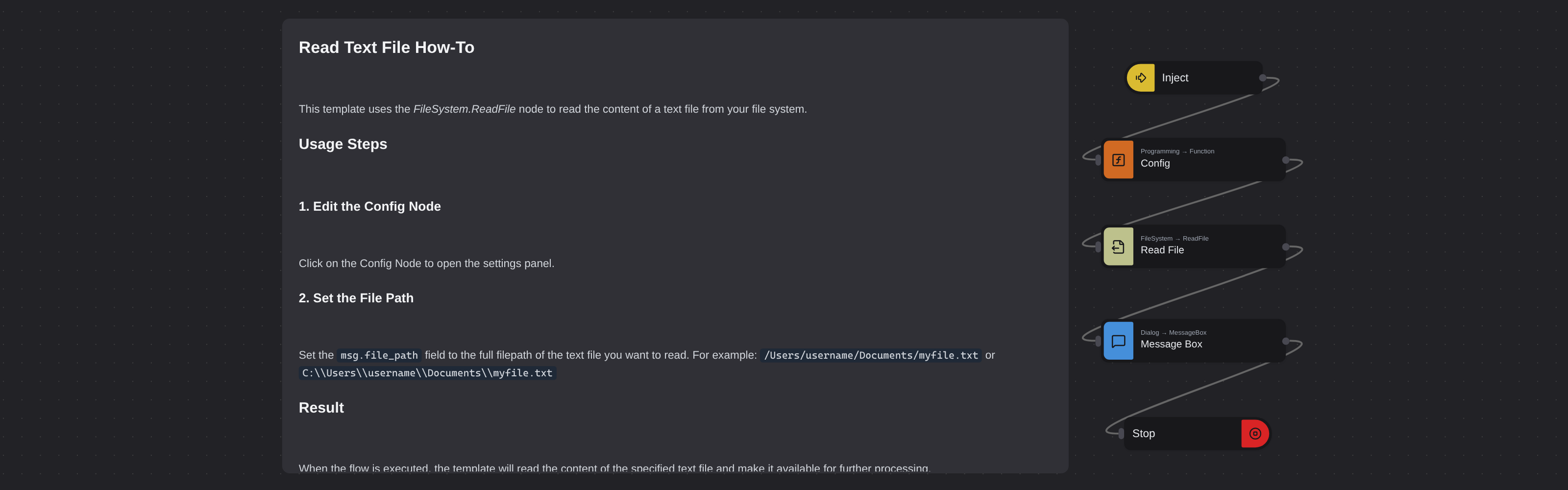
Reads the content of a text file from your file system using the FileSystem.ReadFile node and displays it in a message box.
Read Text File
Read Text File loads the contents of any text file from disk and displays it in a message box. Powered by Robomotion's file system nodes, it provides a quick way to inspect file contents without leaving the automation environment.
This template is a practical starting point for any workflow that needs to read data from files, whether you are loading configuration, processing logs, or feeding text into downstream automation steps.
What Read Text File can do
- Read the full contents of any text file from a local path
- Display the file content in a dialog box for quick inspection
- Work with any plain text format including .txt, .csv, .json, and .log files
- Serve as a building block for file processing automation workflows
Behind the scenes
The flow reads the complete contents of the file at the path you configure and passes the text to a message box for display. The file is read in a single operation, making it suitable for quick inspection of configuration files, logs, or any other text based data.
Configuration
Open the Config node and set:
| Variable | Description | Example |
|---|---|---|
msg.file_path | Path to the text file | "/home/user/notes.txt" |
More file operations templates
See all 3 →- Download File From WebDownloads a file from a given URL and saves it to a specified path on your computer. Displays a confirmation message with the download path upon completion.
- Duplicate File RemoverRemoves duplicate files in a given directory by computing SHA-256 hashes for each file and deleting any file whose hash has already been seen. Uses the Cryptography package for hashing and File System nodes for deletion.