Download File From Web
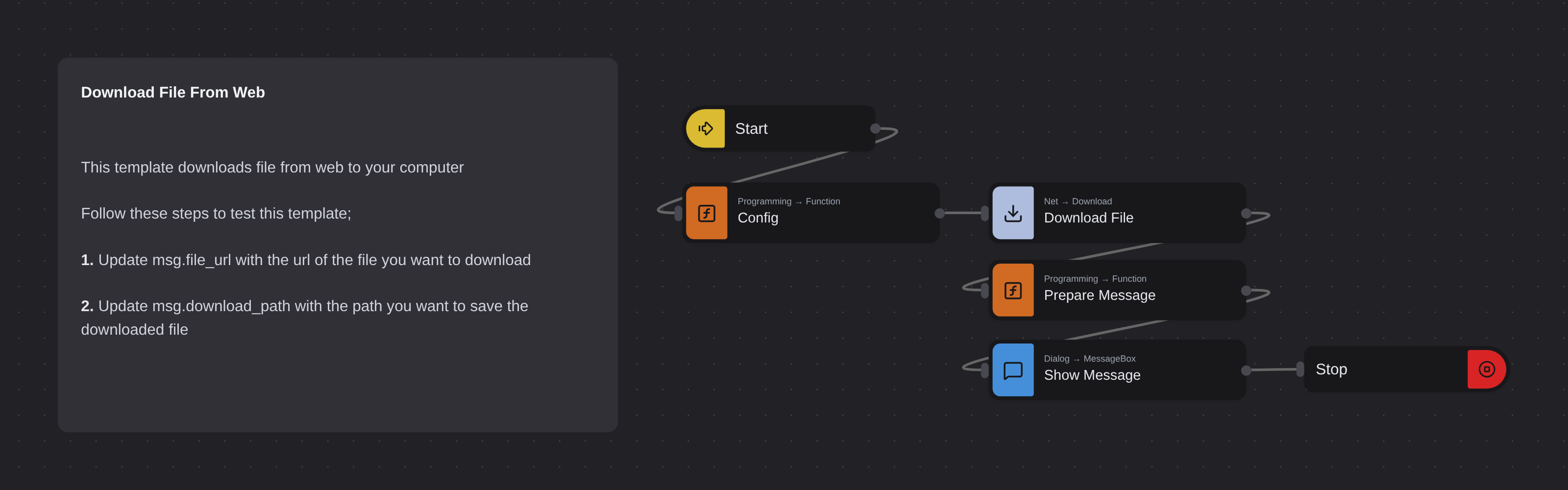
Overview
Downloads a file from a given URL and saves it to a specified path on your computer. Displays a confirmation message with the download path upon completion.
Download File From Web
Download File From Web fetches any file from a URL and saves it directly to your local machine. Powered by Robomotion's HTTP nodes, it turns a manual download into an automated step that can be embedded into larger workflows.
Whether you need to grab a daily report, pull a dataset from a remote server, or download assets as part of a bigger pipeline, this template handles the request and file save in one clean step.
What Download File From Web can do
- Download any file accessible via a public URL
- Save the file to a specific local path on your machine
- Confirm the download with a dialog showing the saved location
- Serve as a reusable building block inside larger automation flows
Behind the scenes
The flow sends an HTTP request to the URL you configure, receives the file content in the response, and writes it to the local path you specify. Once the download completes, a confirmation dialog displays the saved file location so you know exactly where to find it.
Configuration
Open the Config node and set:
| Variable | Description | Example |
|---|---|---|
msg.file_url | URL of the file to download | "https://example.com/report.pdf" |
msg.download_path | Local path to save the file | "/home/user/Downloads/report.pdf" |
More file operations templates
See all 3 →- Read Text FileReads the content of a text file from your file system using the FileSystem.ReadFile node and displays it in a message box.
- Duplicate File RemoverRemoves duplicate files in a given directory by computing SHA-256 hashes for each file and deleting any file whose hash has already been seen. Uses the Cryptography package for hashing and File System nodes for deletion.