Duplicate File Remover
Overview
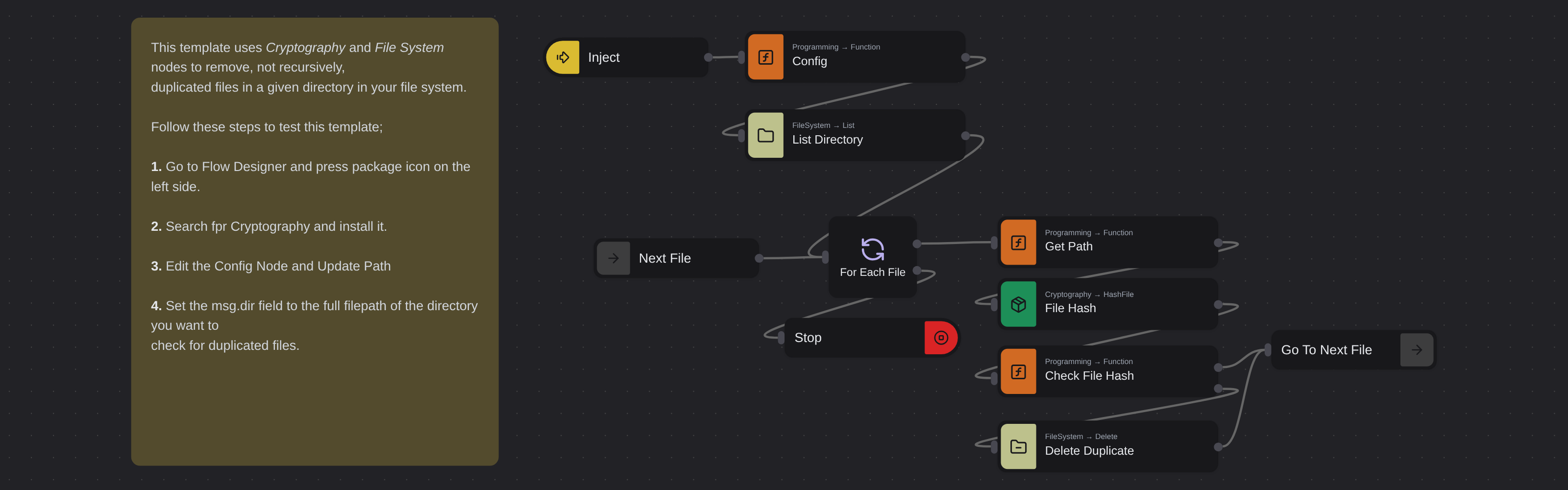
Removes duplicate files in a given directory by computing SHA-256 hashes for each file and deleting any file whose hash has already been seen. Uses the Cryptography package for hashing and File System nodes for deletion.
Duplicate File Remover
Duplicate File Remover scans a directory and automatically deletes duplicate files by comparing their actual content, not just their names. Powered by Robomotion's file system nodes and the Cryptography package, it uses SHA-256 hashing to identify exact duplicates and clean up wasted storage space.
Instead of manually comparing files or relying on file names that may have been renamed, this template looks at the raw content of each file to determine true duplicates with certainty.
What Duplicate File Remover can do
- Scan all files in a target directory
- Compute a SHA-256 hash for each file to fingerprint its content
- Detect duplicates based on content regardless of file name
- Delete duplicate files automatically, keeping only the first occurrence
Behind the scenes
The flow lists every file in the directory you specify and computes a SHA-256 hash for each one using the Cryptography package. It maintains a set of hashes already seen. When a file's hash matches one already in the set, the file is identified as a duplicate and deleted. Only the top level directory is scanned, subdirectories are not included. The first file encountered with a given hash is always kept.
Configuration
Open the Config node and set:
| Variable | Description | Example |
|---|---|---|
msg.dir | Directory to scan for duplicates | "/home/user/Downloads/" |
Prerequisites
- Install the Robomotion.Cryptography package from the package manager in Flow Designer
More file operations templates
See all 3 →- Read Text FileReads the content of a text file from your file system using the FileSystem.ReadFile node and displays it in a message box.
- Download File From WebDownloads a file from a given URL and saves it to a specified path on your computer. Displays a confirmation message with the download path upon completion.