Content Checker
Overview
Monitors a webpage for content changes by reading a specific element's value using a browser and comparing it against an expected value. Notifies the user whether the content has changed or remains the same.
Content Checker
Content Checker monitors a specific element on any webpage and alerts you when its content changes. Powered by Robomotion's browser automation nodes, it automates the repetitive task of manually refreshing pages to watch for price drops, stock updates, or any text change on a site.
Instead of checking a page over and over, you configure the element once and let the flow handle the rest. It opens the page, reads the live value, compares it to your baseline, and tells you instantly whether anything changed.
What Content Checker can do
- Navigate to any webpage and locate a specific element by XPath
- Read the current text content of that element in real time
- Compare the live value against a baseline you define
- Alert you with a clear message about whether the content changed
Behind the scenes
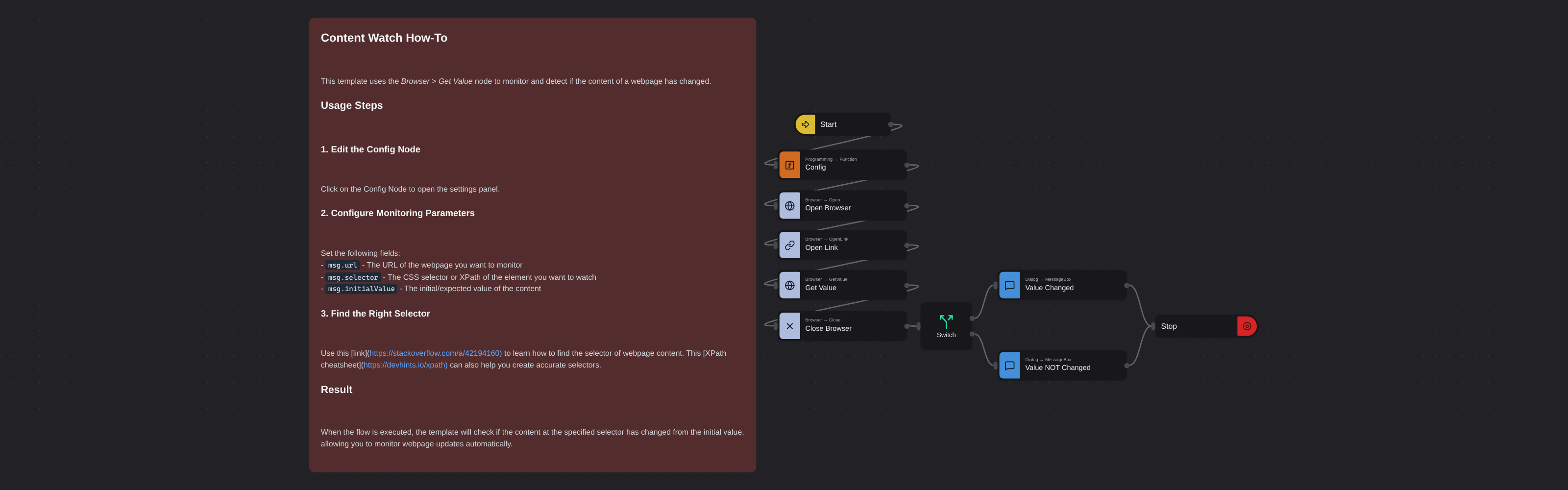
The flow opens a browser, navigates to the target URL, and uses an XPath selector to locate the element you want to monitor. It extracts the text content of that element and compares it against the initialValue you set in the config. A dialog then reports whether the content has changed or remains the same, and the browser closes automatically.
To find the right XPath for an element, right-click it in your browser, select Inspect, then right-click the highlighted HTML and choose Copy > Copy XPath. See this XPath cheatsheet for more selector patterns.
Configuration
Open the Config node and set:
| Variable | Description | Example |
|---|---|---|
msg.url | Page URL to monitor | "https://example.com/product" |
msg.selector | XPath of the element to watch | '//*[@id="price"]/span' |
msg.initialValue | Expected value to compare against | "$11.75" |