All templates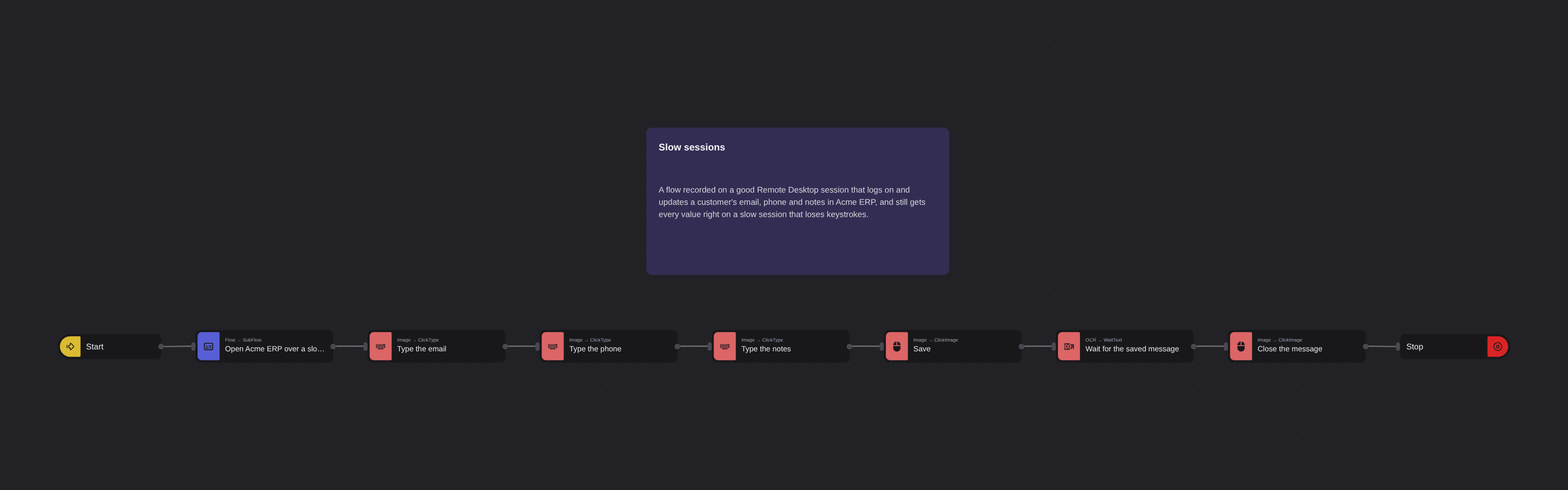
Desktop AutomationIntermediate
Slow sessions
Robomotion•Updated 2 weeks ago
Overview
A flow recorded on a good Remote Desktop session that logs on and updates a customer's email, phone and notes in Acme ERP, and still gets every value right on a slow session that loses keystrokes.
Slow sessions
A flow recorded on a good Remote Desktop session that logs on and updates a customer's email, phone and notes in Acme ERP, and still gets every value right on a slow session that loses keystrokes.
The finished flow of the Robomotion Academy lesson Slow sessions (UI Automation course).
Before you run it
- The Acme training apps in
C:\Acme:AcmeERP-Windows,AcmeERP-JavaandAcmeRemote, as the course's download unpacks them. - Input files in
C:\Acme\in; the flow writes its files toC:\Acme\out. - The training sign-in is in the flow as plain text. In a flow of your own, read it from a vault.
More Desktop Automation templates
See all 17 →- Every customer from a CSVThe Windows Recorder's customer task run for every row of a CSV file, each typed value replaced by the row's field, with a Catch that logs a row the app will not take and goes on with the next.
- Putting it togetherOne flow over three systems. Headless Chrome reads today's web orders from Acme ERP Web, the finance system is asked about each customer over Remote Desktop, and the orders with nothing overdue are entered into Acme ERP for Windows, line by line, with a report at the end.
- Reading from a Java applicationA flow that signs in to Acme ERP (Java Edition), reads a customer's credit limit and the fasteners in the product table, works out how many boxes of each the limit covers, and writes the answer to a CSV file.
- Reading over Remote DesktopA flow that logs on to Acme ERP over Remote Desktop, reads the outstanding and overdue totals off the Invoices screen with OCR, each anchored to its label, and writes the overdue share to a CSV file.
- Windows dialogs and gridsA flow that signs in to Acme ERP for Windows, waits for its orders grid, reads it with Get Table Data, exports the orders on hold through the Save As dialog, and closes the app answering its "Save changes?" question.
- Add Datetime to File NamesRenames every file in a directory by appending the current date to its name. A quick way to version artefacts, snapshots, or export batches.