Chrome Web Store Extension Reviews
Overview
Chrome extension reviews scraper that extracts ratings, text, and user feedback from Web Store extensions.
Chrome Web Store Extension Reviews
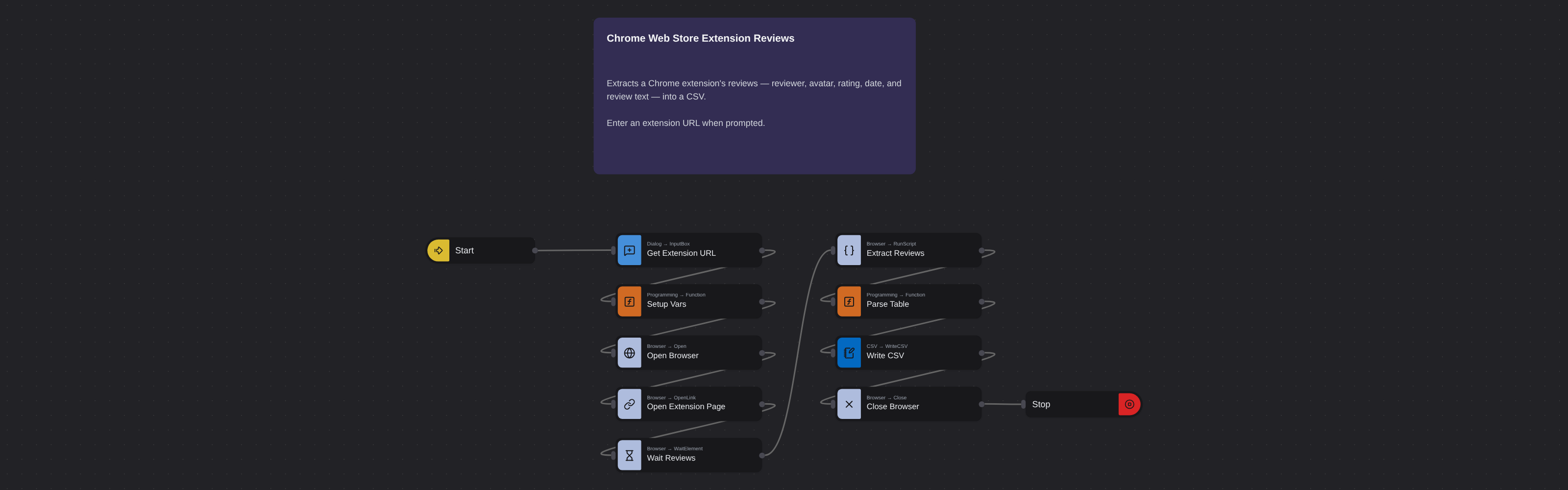
User reviews on Chrome Web Store extensions contain some of the most honest product feedback available anywhere. Unlike curated testimonials, these reviews come from real users sharing unfiltered experiences - what they love, what frustrates them, what features they want added, and what bugs they've encountered. Each review includes the reviewer's name, avatar, position on the page, star rating (1-5), full review text, and date posted.
What it extracts
- Position — The ranking position of the review on the page.
- Name of the reviewer — Name or username of the reviewer.
- Avatar URL — URL link to the reviewer's profile avatar image.
- Review — Full review content and text.
- Date of the review — When the review was submitted.
- Star Rating number — Rating from 1 to 5 stars.
What you can do with it
- User sentiment analysis: Extract reviews to understand what users genuinely think. Analyze star rating distributions and review text to measure satisfaction levels and identify common complaints.
- Feature request mining: Users often describe desired features in reviews. Extract to catalog feature requests across your extension and competitors' - free product research from your most engaged users.
- Competitive weakness identification: Negative reviews on competitor extensions reveal their pain points. Extract to understand what frustrates users and build those solutions into your own product.
- Quality validation for procurement: Evaluating an extension for your organization? Extract reviews to go beyond the star rating and read what actual users say about reliability, performance, and support.
How it works
Enter the requested input when prompted. The flow opens the target page, extracts the fields listed above, and saves them as a CSV in your home folder.
Frequently asked questions
Can I extract all reviews or just recent ones?
The robot extracts reviews visible on the page. Chrome Web Store shows recent reviews by default. You can sort by different criteria on the page before extracting.
Are reviewer names real or anonymous?
Reviewers use their Google account display names. Some may use full names while others use usernames or initials.
Can I extract reviews for themes as well?
This robot is optimized for extension review pages. Theme reviews follow a similar format and may also be extractable.
More Web Scraping templates
See all 124 →- Amazon Product Search ScraperSearches Amazon from its search box and exports the products it finds (title, product link, price, rating, image) into a CSV, going through the result pages with Next.
- LinkedIn Company URL FinderFinds the LinkedIn company pages for a company name with LinkedIn's own company search: each result's page URL, name, industry and location, into a CSV.
- LinkedIn Job ScraperReads a LinkedIn job: its title, company, location and the About the job text, into a CSV.
- LinkedIn Post Commenter and Liker ScraperCollects the people who commented on a LinkedIn post and the people who reacted to it into one CSV: name, profile link, headline, and whether each one commented and/or reacted.
- LinkedIn Post Commenters ExportExports the people who commented on a LinkedIn post (name, profile link, headline, comment) into a CSV, scrolling for more.
- LinkedIn Post Likers ExportExports the people who reacted to a LinkedIn post (name, profile link, headline) into a CSV, from the post's reactions list.