Chrome Web Store Extension Info
Overview
Chrome extension scraper extracting names, ratings, users, and categories from Web Store listings.
Chrome Web Store Extension Info
The Chrome Web Store is home to over 130,000 browser extensions used by hundreds of millions of Chrome users worldwide. Each extension listing displays the extension name, developer, user count, star rating, number of ratings, category, a detailed description, screenshots, and other key information. This data is vital for multiple audiences. Extension developers research the competitive landscape to identify opportunities and benchmark their products.
What it extracts
- Name — Published name of the extension.
- Source — Extension developer or company.
- Rating — Average star rating.
- Rating Count — Number of user ratings.
- Category — Extension category classification.
- Number of Users — Total number of users.
- Overview — Extension description and features.
What you can do with it
- Competitive analysis for developers: Extract extensions in your category. Compare user counts, ratings, and feature sets to benchmark your extension and identify competitive advantages.
- User adoption intelligence: User counts reveal genuine adoption. Extract to understand which extensions in your category have real traction versus those with minimal installs.
- Security and permission auditing: Extensions request various browser permissions. Extract permission requirements across extensions to evaluate security implications before installation or organizational deployment.
- Market opportunity identification: Extract listings across categories. Identify areas where few extensions have high user counts - signaling underserved demand and development opportunity.
How it works
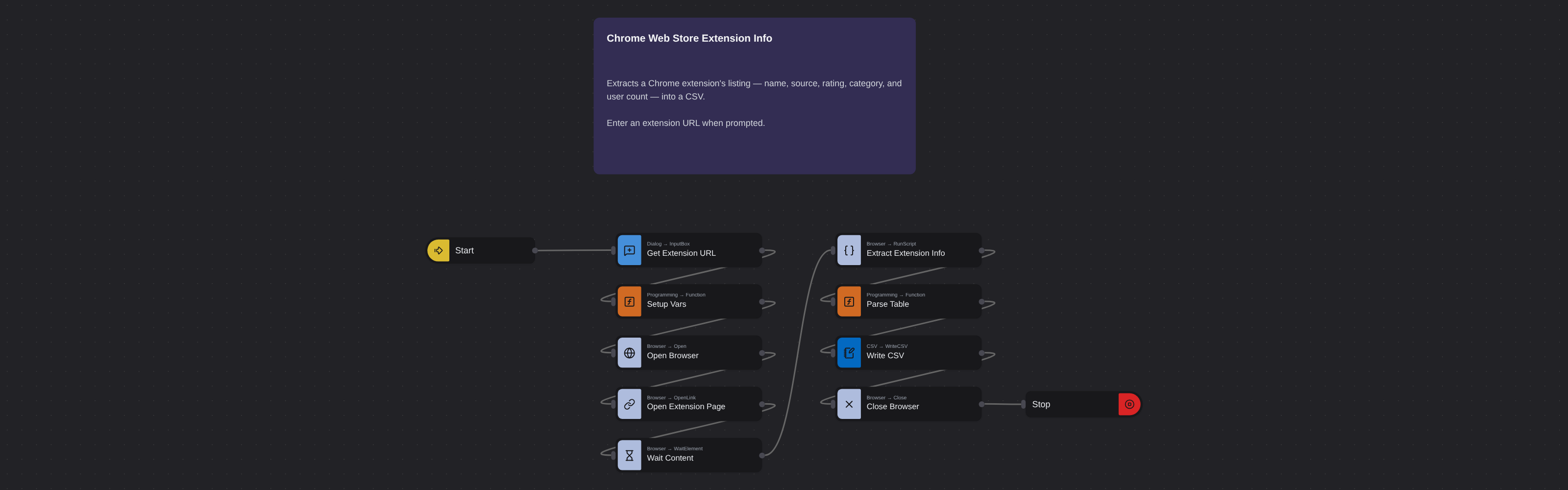
Enter the requested input when prompted. The flow opens the target page, extracts the fields listed above, and saves them as a CSV in your home folder.
Frequently asked questions
Does this work for Chrome themes too?
This robot is designed for extension listings. Chrome themes have a different page format, but the robot may extract basic data from theme listing pages.
Can I extract extensions from specific categories?
Yes. Browse to a category on the Chrome Web Store and paste that URL. The robot extracts whatever the page displays.
How accurate are user counts?
Chrome Web Store rounds user counts (e.g., 10M+, 5M+). They're reliable for relative comparison but not precise numbers.
More web scraping templates
See all 124 →- Amazon Product Search ScraperSearches Amazon from its search box and exports the products it finds (title, product link, price, rating, image) into a CSV, going through the result pages with Next.
- LinkedIn Company URL FinderFinds the LinkedIn company pages for a company name with LinkedIn's own company search: each result's page URL, name, industry and location, into a CSV.
- LinkedIn Job ScraperReads a LinkedIn job: its title, company, location and the About the job text, into a CSV.
- LinkedIn Post Commenter and Liker ScraperCollects the people who commented on a LinkedIn post and the people who reacted to it into one CSV: name, profile link, headline, and whether each one commented and/or reacted.
- LinkedIn Post Commenters ExportExports the people who commented on a LinkedIn post (name, profile link, headline, comment) into a CSV, scrolling for more.
- LinkedIn Post Likers ExportExports the people who reacted to a LinkedIn post (name, profile link, headline) into a CSV, from the post's reactions list.