Merge CSV
Overview
Merges a group of CSV files from a directory into a single CSV file. Uses subflows to read individual CSV files and combine their contents with a configurable separator.
Merge CSV
Merge CSV combines all CSV files from a directory into a single unified file. Powered by Robomotion's CSV subflows, it reads, merges, and writes the combined data with a delimiter of your choice, saving you from tedious manual copy and paste work.
Whether you receive daily reports as separate files, export data from multiple sources, or need to consolidate fragmented datasets, this template handles the entire merge pipeline in one run.
What Merge CSV can do
- Scan a directory and find all CSV files automatically
- Read and parse each CSV file individually
- Merge all records into a single combined table
- Write the merged result to a new CSV file with your chosen delimiter
Behind the scenes
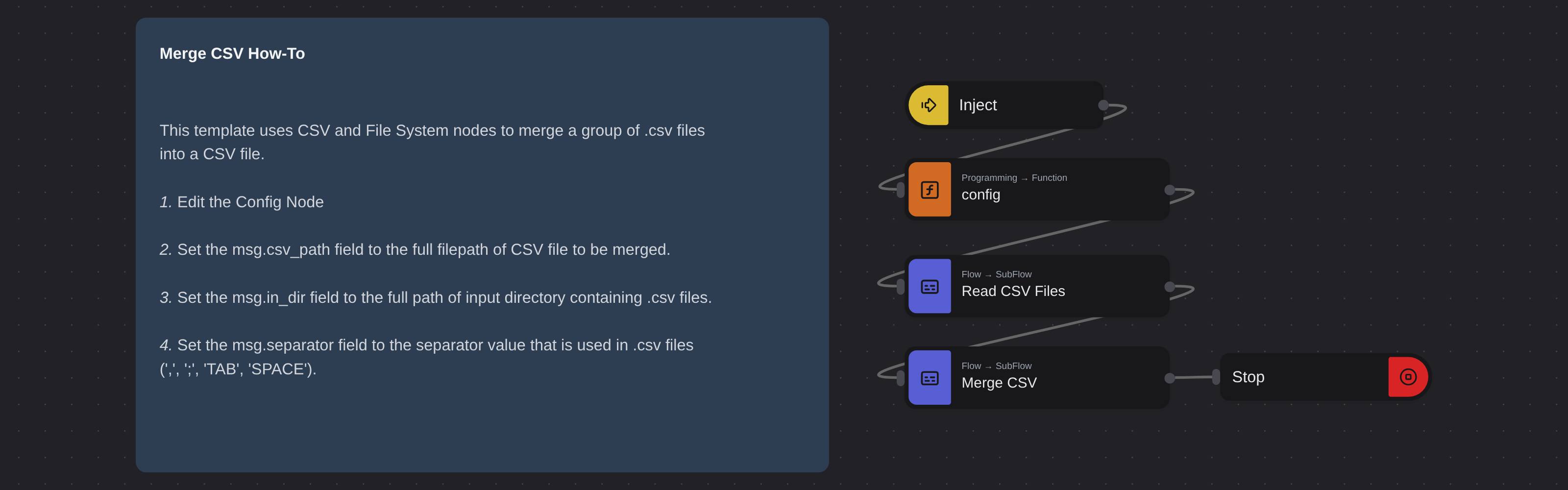
The flow scans the input directory for all .csv files, reads each one using a Read CSV Files subflow, and merges them into a single table via a Merge CSV subflow. The combined data is then written to the output path with the delimiter you configure. Supported delimiters include comma, semicolon, tab, and space.
Configuration
Open the Config node and set:
| Variable | Description | Example |
|---|---|---|
msg.in_dir | Directory containing the CSV files | "/home/user/csv-files/" |
msg.csv_path | Output path for the merged file | "/home/user/merged.csv" |
msg.separator | Delimiter (,, ;, TAB, SPACE) | ";" |
More data processing templates
See all 3 →- JSON BeautifierBeautifies a given JSON string by parsing and re-formatting it with custom indentation, then exports the result to a file. Displays an error dialog if the input JSON is invalid.
- JSON MinifierMinimizes a given JSON object by converting it to a compact single-line string with no extra whitespace. The result is printed to the Output Panel via a Debug node.