Similarweb Trending Websites
Overview
Scrape Similarweb trending websites for rising domains and traffic growth data.
Similarweb Trending Websites
Similarweb's trending websites section spotlights domains experiencing the fastest traffic growth over recent weeks. Unlike the static top websites rankings that show established giants, trending lists surface emerging sites, viral phenomena, seasonal surges, and breakout platforms gaining momentum rapidly. Each entry shows the domain position, trending rank, traffic change, and direct link to the site.
What it extracts
- Position — Ranking position on the trending websites list.
- Trending Up Rank — The rank number indicating traffic growth tier.
- Trending Up Domain — Website URL of the trending site.
- Trending Up Change — Percentage or magnitude of traffic change.
- Trending Up Website Link — Direct clickable link to the website.
- Trending Up Favicon — Website favicon or logo thumbnail.
What you can do with it
- Early competitor detection: Trending lists reveal fast-growing sites in your category before they reach top rankings. Extract these to stay ahead of emerging competitive threats.
- Viral content discovery: Websites trending due to viral content or media attention appear here first. Extract to identify content strategies that drive rapid traffic growth.
- Investment signal generation: Rapid traffic growth is a leading indicator for business momentum. Extract trending sites to identify potential investment opportunities early.
- Channel opportunity identification: Trending sites often represent new platforms where your audience is migrating. Extract to discover advertising and partnership channels before they get crowded.
How it works
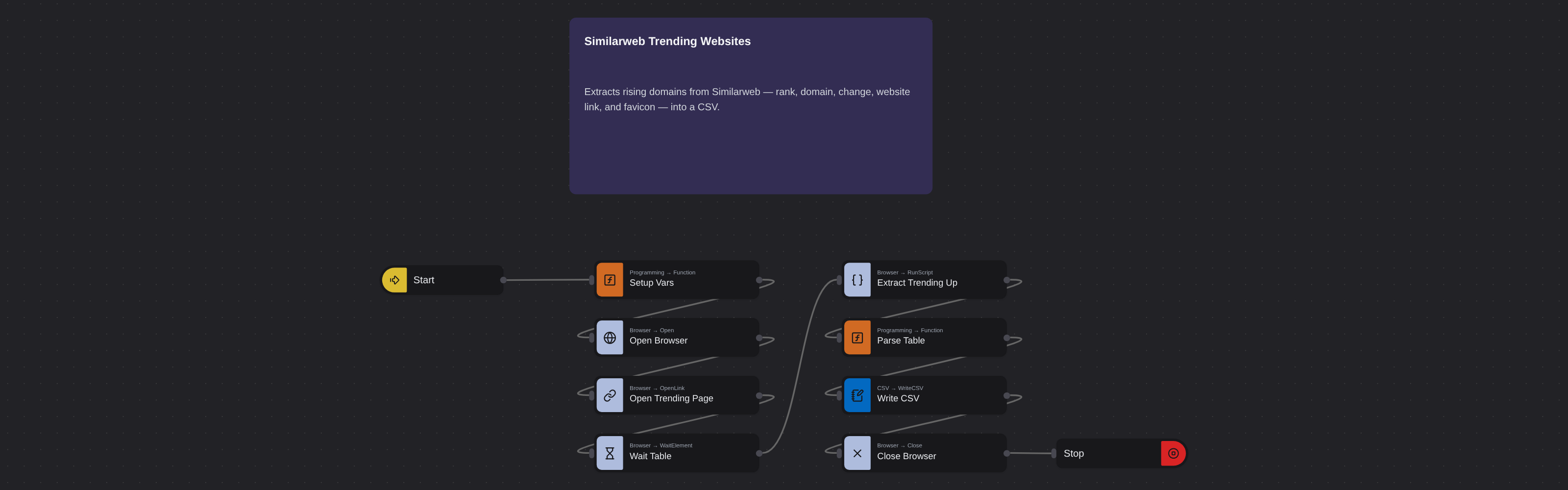
Just run the flow. It loads the source, extracts the fields listed above, and saves them as a CSV in your home folder.
Frequently asked questions
How often does Similarweb update trending data?
Trending lists typically refresh weekly, reflecting the most recent traffic acceleration signals from Similarweb's web panel data.
Can I filter trending websites by category?
Yes. Navigate a specific trending page on Similarweb and paste that URL. The robot extracts the position, rank, domain, change, link, and favicon from whatever the page displays.
What does the traffic change represent?
It shows the percentage increase in estimated traffic compared to the previous period, indicating how fast a site's traffic is accelerating.
More web scraping templates
See all 124 →- Amazon Product Search ScraperSearches Amazon from its search box and exports the products it finds (title, product link, price, rating, image) into a CSV, going through the result pages with Next.
- LinkedIn Company URL FinderFinds the LinkedIn company pages for a company name with LinkedIn's own company search: each result's page URL, name, industry and location, into a CSV.
- LinkedIn Job ScraperReads a LinkedIn job: its title, company, location and the About the job text, into a CSV.
- LinkedIn Post Commenter and Liker ScraperCollects the people who commented on a LinkedIn post and the people who reacted to it into one CSV: name, profile link, headline, and whether each one commented and/or reacted.
- LinkedIn Post Commenters ExportExports the people who commented on a LinkedIn post (name, profile link, headline, comment) into a CSV, scrolling for more.
- LinkedIn Post Likers ExportExports the people who reacted to a LinkedIn post (name, profile link, headline) into a CSV, from the post's reactions list.