Substack Top Posts
Overview
Substack top posts scraper extracts highest-performing newsletter content with engagement metrics.
Substack Top Posts
Every Substack publication has a "Top" section that displays posts ranked by audience engagement rather than chronological order. This performance-ranked view surfaces the newsletter's greatest hits - the posts that generated the most likes (hearts), comments, and shares over the publication's lifetime. Each top post listing shows the post position, title, description, publication date, author name, comment count, and like count.
What it extracts
- Position — Ranking number of the post by engagement performance.
- Title — Newsletter post headline.
- Description — Brief excerpt or summary of the post content.
- Date — When the post was originally published.
- Author — Name of the post author or publication account.
- Likes — Hearts/likes from readers.
- Comments Count — Number of subscriber comments.
- Post URL — Direct link to the full post.
- Author Profile URL — Link to the author's Substack profile.
- Post Image URL — URL of the post's featured image or thumbnail.
What you can do with it
- Proven content formula: Top posts represent a newsletter's best content. Extract these to reverse-engineer which topics, formats, and angles drive the highest engagement.
- Evergreen content identification: Posts that continue generating engagement long after publication are evergreen. Extract top posts to identify timeless themes in any newsletter's catalog.
- Engagement benchmarks: Extract like and comment counts from top posts to understand what "high performance" looks like for a specific publication. Set realistic engagement targets.
- Free vs. paid content performance: Compare engagement between free and paid top posts. Extract labels to see whether a newsletter's best-performing content is locked behind the paywall or open.
How it works
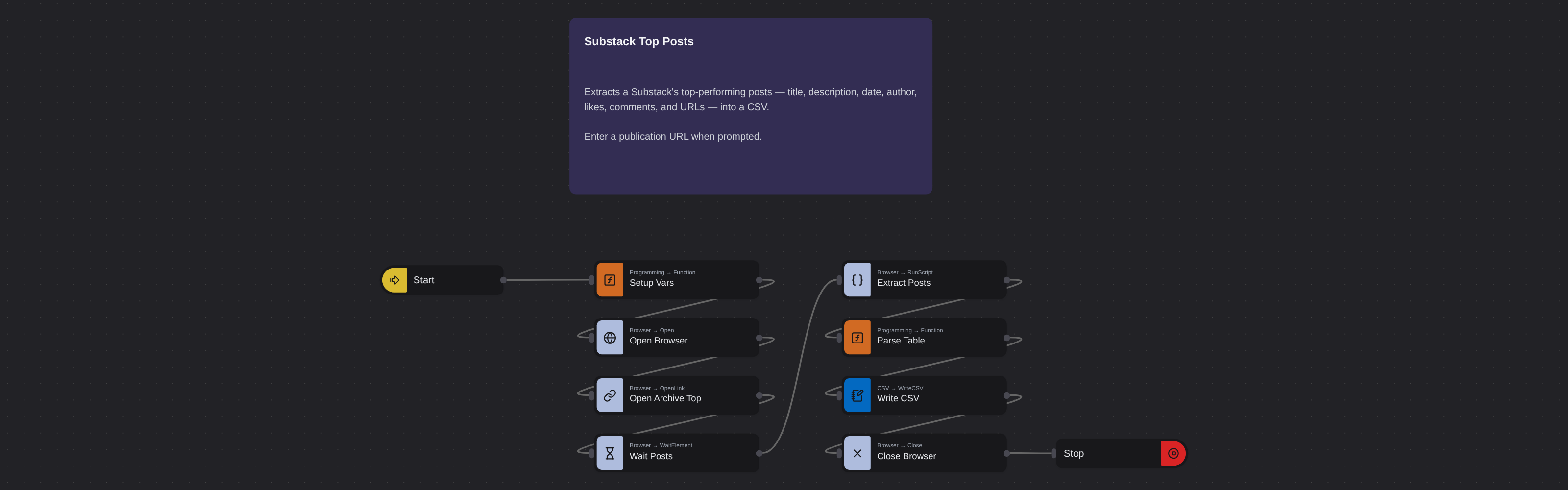
Just run the flow. It loads the source, extracts the fields listed above, and saves them as a CSV in your home folder.
Frequently asked questions
How does Substack determine top posts?
Substack ranks posts by total engagement - a combination of likes, comments, and shares. The most-engaged posts rise to the top regardless of publication date.
Is the top posts list different from the archive?
Yes. The archive shows posts chronologically. Top posts ranks them by engagement performance, surfacing the publication's highest-performing content.
Can I compare top posts across newsletters?
Yes. Extract top posts from multiple publications and compare engagement numbers. This shows which newsletters generate the strongest audience response.
What metadata does the robot extract with each post?
The robot extracts position ranking, title, description, publication date, author name, like count, comment count, post URL, author profile URL, and post image URL for complete content analysis.
Is this Substack top posts scraper free?
Browse AI's free plan includes credits to run this robot. No credit card required.
More Web Scraping templates
See all 124 →- Amazon Product Search ScraperSearches Amazon from its search box and exports the products it finds (title, product link, price, rating, image) into a CSV, going through the result pages with Next.
- LinkedIn Company URL FinderFinds the LinkedIn company pages for a company name with LinkedIn's own company search: each result's page URL, name, industry and location, into a CSV.
- LinkedIn Job ScraperReads a LinkedIn job: its title, company, location and the About the job text, into a CSV.
- LinkedIn Post Commenter and Liker ScraperCollects the people who commented on a LinkedIn post and the people who reacted to it into one CSV: name, profile link, headline, and whether each one commented and/or reacted.
- LinkedIn Post Commenters ExportExports the people who commented on a LinkedIn post (name, profile link, headline, comment) into a CSV, scrolling for more.
- LinkedIn Post Likers ExportExports the people who reacted to a LinkedIn post (name, profile link, headline) into a CSV, from the post's reactions list.