Ghost Experts Directory
Overview
Ghost experts directory scraper extracts names, images, and profile links from Ghost's official listings.
Ghost Experts Directory
Ghost has become a serious contender in the headless CMS space, powering publications, membership businesses, and content-heavy websites. As the platform grows, so does the ecosystem of specialists who build on it - developers who create custom themes, designers who craft branded experiences, and consultants who handle migrations from WordPress or Substack. Ghost maintains an official expert directory to connect users with these professionals, but the directory offers no export feature and browsing through profiles one at a time is slow when you are evaluating multiple candidates.
What it extracts
- Position — The ranking or order number of the expert in the directory listing.
- Name — The name of the individual or agency listed in the Ghost directory.
- Image URL — The URL of the expert's profile image or logo displayed in the directory.
- Link — Direct link to the expert's full profile in the Ghost directory.
What you can do with it
- Complete visibility into the Ghost expert ecosystem - every listed consultant, developer, and designer captured with their specialty, description, and contact details in one export.
- Efficient vendor comparison by sorting and filtering experts in a spreadsheet instead of clicking through individual profile pages on the Ghost directory.
- Competitive intelligence for Ghost agencies: see who else offers the services you provide, how they position themselves, and what specialties are most represented in the directory.
- Partnership discovery by identifying Ghost experts whose skills complement yours - a developer can find designers, and a consultant can find implementation partners.
How it works
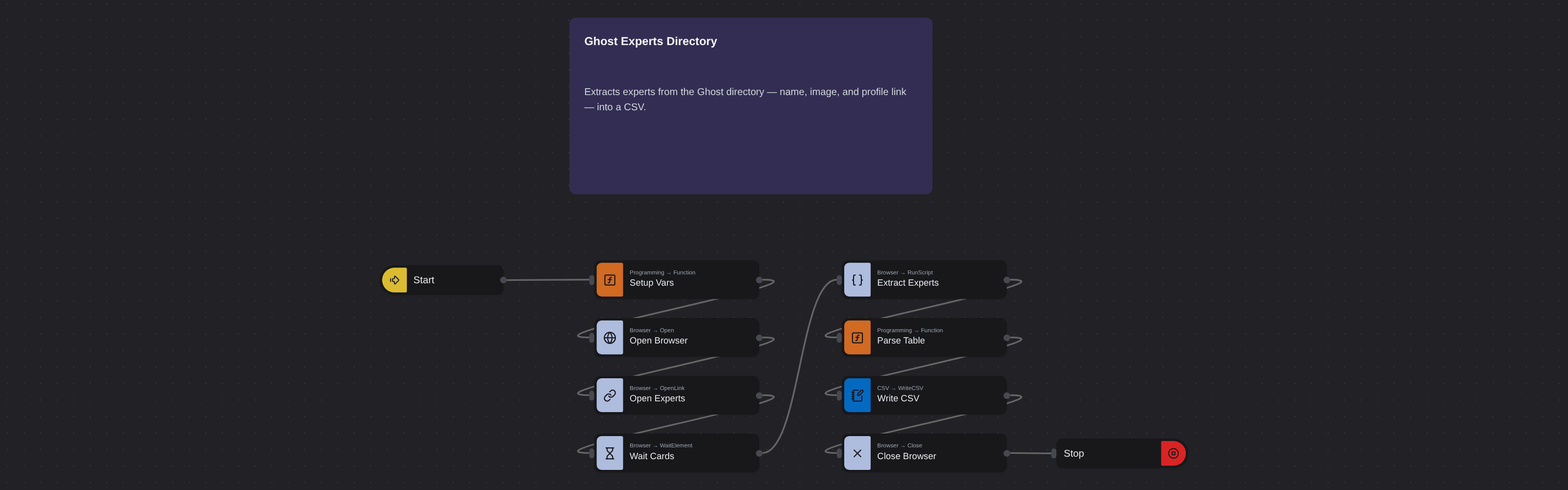
Just run the flow. It loads the source, extracts the fields listed above, and saves them as a CSV in your home folder.
Frequently asked questions
Is Ghost's expert directory publicly accessible?
Yes. Ghost maintains a public directory of verified experts on their website. The robot extracts the data displayed on that public page - no authentication or Ghost account is required for the extraction.
Can I filter by specialty before extracting?
If the Ghost directory offers category filters on the page, apply them before copying the URL. The robot captures whatever listings are displayed on the filtered results page.
How many experts are typically listed in the directory?
The number varies as Ghost adds new verified professionals. The robot extracts every listing present on the page at the time of the run, regardless of how many there are.
More web scraping templates
See all 124 →- Amazon Product Search ScraperSearches Amazon from its search box and exports the products it finds (title, product link, price, rating, image) into a CSV, going through the result pages with Next.
- LinkedIn Company URL FinderFinds the LinkedIn company pages for a company name with LinkedIn's own company search: each result's page URL, name, industry and location, into a CSV.
- LinkedIn Job ScraperReads a LinkedIn job: its title, company, location and the About the job text, into a CSV.
- LinkedIn Post Commenter and Liker ScraperCollects the people who commented on a LinkedIn post and the people who reacted to it into one CSV: name, profile link, headline, and whether each one commented and/or reacted.
- LinkedIn Post Commenters ExportExports the people who commented on a LinkedIn post (name, profile link, headline, comment) into a CSV, scrolling for more.
- LinkedIn Post Likers ExportExports the people who reacted to a LinkedIn post (name, profile link, headline) into a CSV, from the post's reactions list.