YouTube Channel Search
Overview
Scrape YouTube search results for channels - names, subscribers, and descriptions. No API key needed.
YouTube Channel Search
Finding YouTube channels in a specific niche usually means typing a search query and scrolling through mixed results - videos, playlists, and channels all jumbled together. If you need a list of channels for influencer outreach, competitive research, or market mapping, extracting that data from YouTube search results manually is tedious.
What it extracts
- Position — The ranking position of the channel in the search results.
- Channel Name — The display name of the YouTube channel.
- Channel Link — The direct link to the channel's YouTube page.
- Channel ID — The unique identifier for the YouTube channel.
- Subscribers — The number of subscribers shown in the search results.
- Description — The channel description preview shown in search results.
- Channel Icon — The profile thumbnail image for the channel.
What you can do with it
- Channel discovery at scale - search for any keyword and get a structured list of relevant YouTube channels with subscriber counts and descriptions.
- Influencer outreach list building without manually scrolling through search results and copying data from each channel page.
- Competitive landscape mapping by searching for channels in your content niche and analyzing subscriber distributions and posting activity.
- Repeatable discovery through scheduled searches that catch new channels entering your space.
How it works
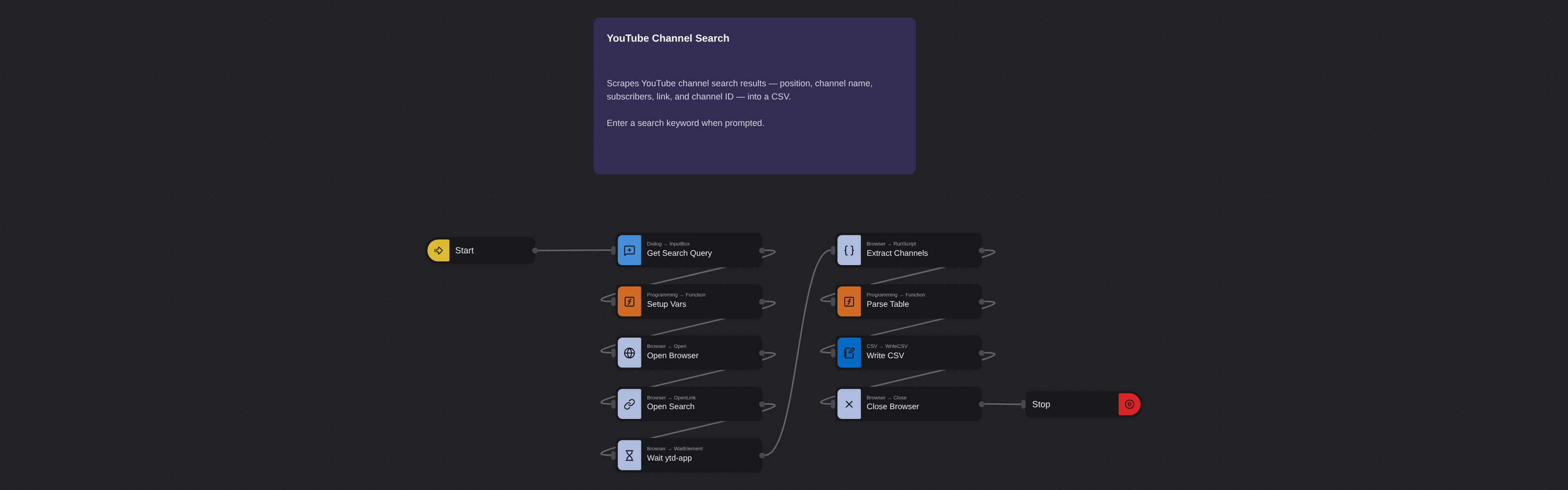
Enter the requested input when prompted. The flow opens the target page, extracts the fields listed above, and saves them as a CSV in your home folder.
Frequently asked questions
How do I scrape YouTube search results for channels?
Search YouTube for your keyword, apply the 'Channel' filter, copy the results URL, and paste it into this robot. The robot extracts channel names, subscriber counts, descriptions, channel IDs, and profile links from the filtered search results.
Do I need a YouTube API key?
No. This robot accesses YouTube search results directly without any API credentials. You avoid API quota limits and the complexity of developer account setup.
Can I search for channels in a specific topic?
Yes. Use any keyword, topic, or niche term as your YouTube search query. The 'Channel' filter ensures you only get channel results, not individual videos.
Can I build a database from multiple searches?
Yes. Queue search URLs for different keywords and all channel results flow into one unified dataset. This is how users build comprehensive creator databases covering multiple related topics.
Is this YouTube search scraper free?
Browse AI's free tier includes credits to run this robot at no cost. Sign up without a credit card and start discovering YouTube channels immediately.
How many channels can I extract per search?
The robot captures every channel shown in the YouTube search results you provide. The number depends on how many channels YouTube returns for your query.
More web scraping templates
See all 124 →- Amazon Product Search ScraperSearches Amazon from its search box and exports the products it finds (title, product link, price, rating, image) into a CSV, going through the result pages with Next.
- LinkedIn Company URL FinderFinds the LinkedIn company pages for a company name with LinkedIn's own company search: each result's page URL, name, industry and location, into a CSV.
- LinkedIn Job ScraperReads a LinkedIn job: its title, company, location and the About the job text, into a CSV.
- LinkedIn Post Commenter and Liker ScraperCollects the people who commented on a LinkedIn post and the people who reacted to it into one CSV: name, profile link, headline, and whether each one commented and/or reacted.
- LinkedIn Post Commenters ExportExports the people who commented on a LinkedIn post (name, profile link, headline, comment) into a CSV, scrolling for more.
- LinkedIn Post Likers ExportExports the people who reacted to a LinkedIn post (name, profile link, headline) into a CSV, from the post's reactions list.