See where every deal stands
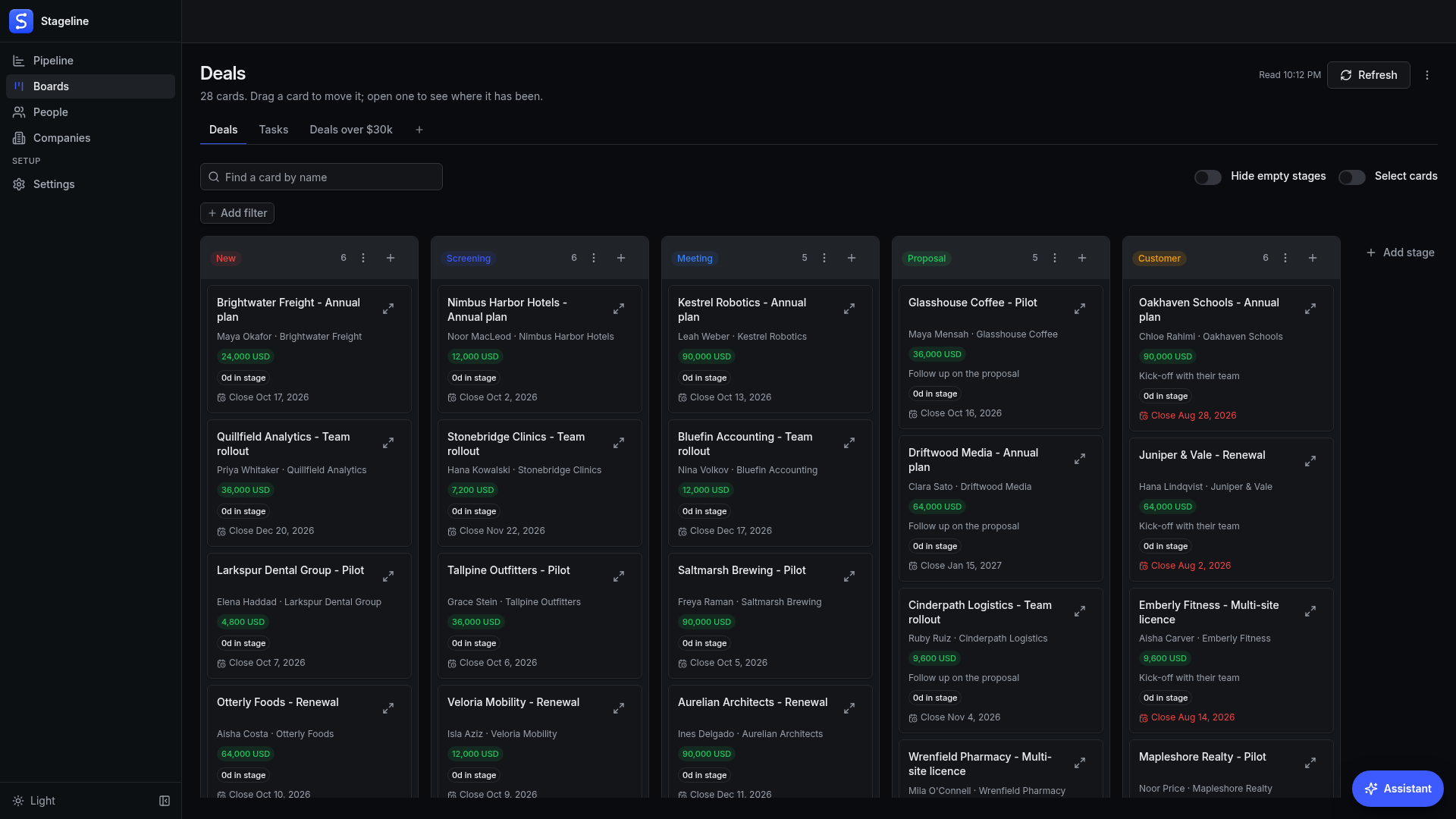
Every deal on a board, a column per stage with its count.

Put your deals and tasks on boards, see every stage each one has passed, and bring your records in from a spreadsheet.
Install this app- Opens as its own app, in your browser
- Clone it and change it in the Flow Designer
- Remove it any time from My Agents
A CRM is only as good as the picture it gives you, and most give you a table. You know the deal exists; what you cannot see at a glance is which stage it sits in, how long it has sat there, and where it was before. (So the pipeline review turns into scrolling, and the stalled deals are the ones nobody scrolled to.)
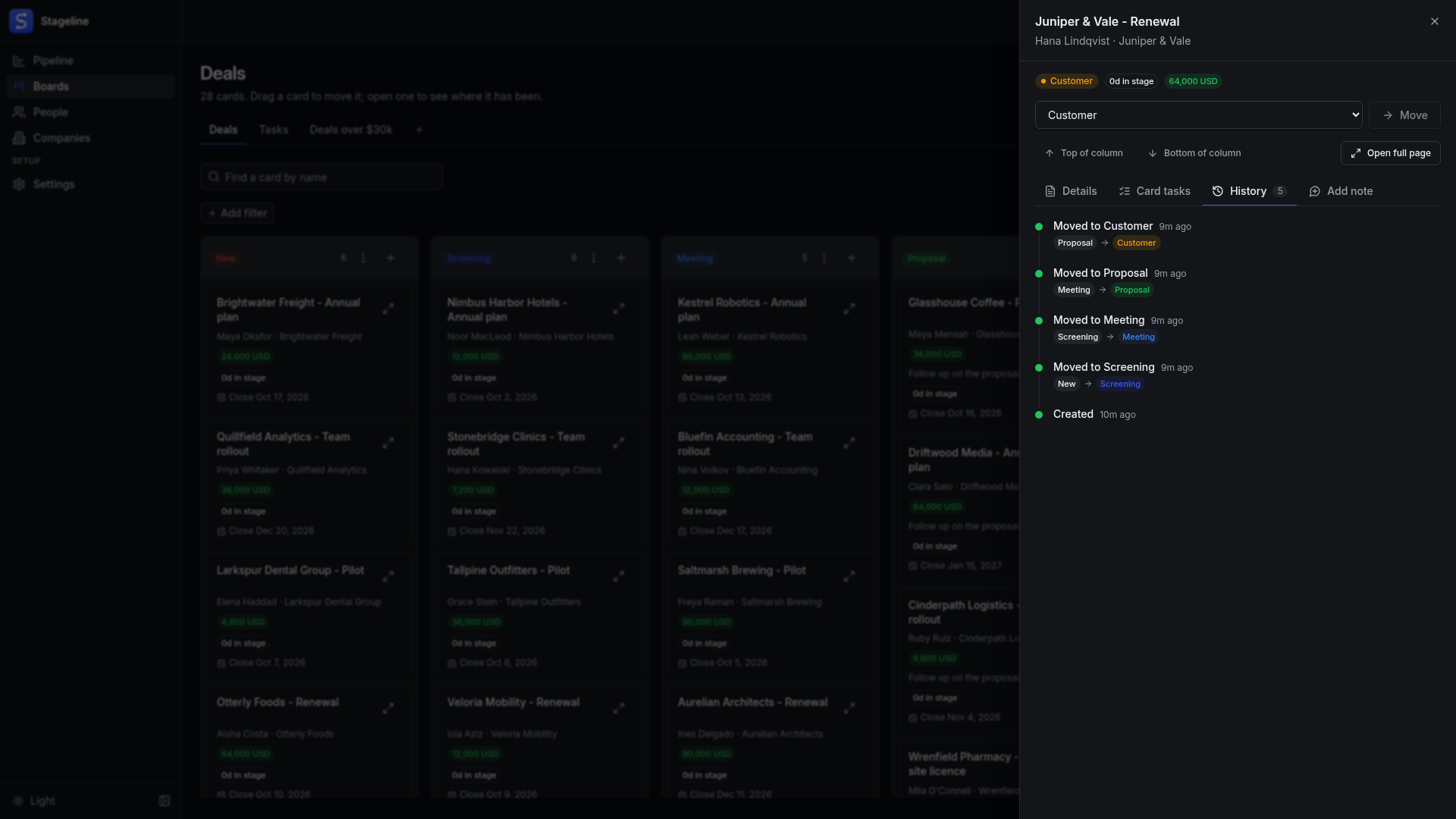
Stageline puts every record on a board. Each board is a column per stage, with the count on top and a card for every deal or task; drag a card and it moves. Open one and you see every stage it has passed through, who moved it and when, with its notes and tasks beside it.
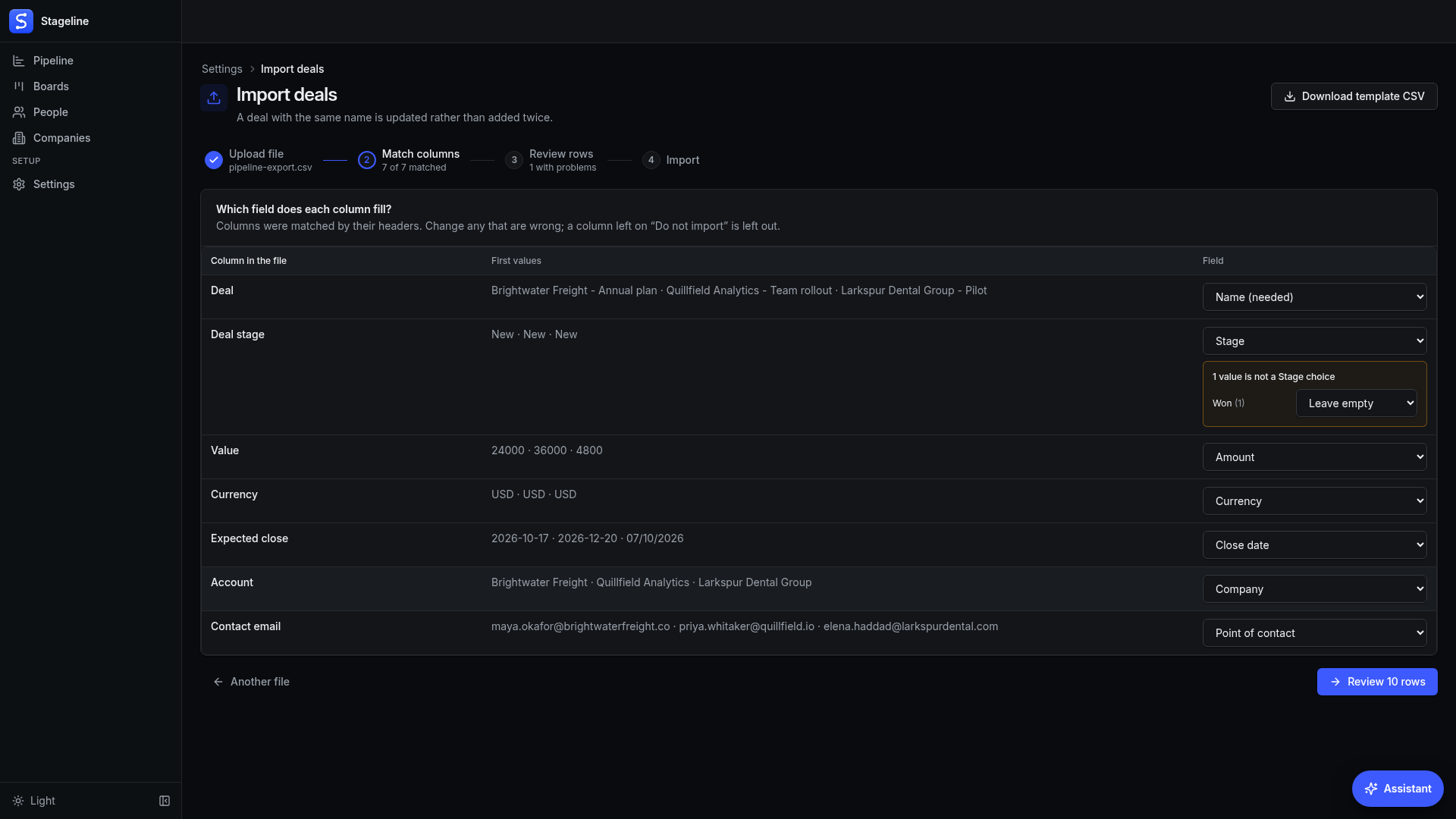
Nobody starts a CRM by typing records in one at a time, so Stageline starts from your spreadsheet: download a template, fill it or export from your old CRM, and the import matches the columns, shows every problem before anything is written, and links people and deals to their companies.
It runs on your own robot and keeps everything there, in one database file: no account to open, no key to paste, no seat to pay for. Download a full backup whenever you like and restore it on any robot.
See where every deal stands. Move it forward. Know where it has been.
In short
- Every record on a board, by stage: drag a card to move it, and see every stage it has passed through.
- Start from a spreadsheet, not from zero: import companies, people and deals from CSV, with a template to fill.
At a glance
- Founders
- Small sales teams
- Agencies and freelancers
- CSV files
- Excel and Google Sheets
- MCP clients
- Pipedrive
- HubSpot
- A pipeline kept in a spreadsheet
- Type:
- App
- Version:
- 1.2.0
- Updated:
- Oct 9, 2026
Put every deal and task on a board, see where each one has been, and bring your whole book in from a spreadsheet
See every card, stage by stage
- Boards in your order: a column per stage with its count, in the order you keep them, with hidden stages, new stages and a column for cards with no stage yet
- Filters that know the field: text, choices, dates, numbers and linked companies or people, each with the conditions that fit it
- A new board in one click: press + beside the tabs, pick what it shows and how to filter it, and everyone on the workspace sees it
Know where each deal has been
- The whole trail on every card: each stage it passed through, from and to, with who moved it and when
- Notes and tasks beside the history: add a note or a task to a card, person or company without leaving the board
- The latest moves across every board: the pipeline screen counts each stage and lists the most recent moves, so nothing changes unnoticed
Start from the spreadsheet you already have
- A template for every record type: download it, fill it, or export from your old CRM and bring that file instead
- Columns matched for you, problems shown first: dates, amounts and choices are checked row by row before anything is written
- Linked, not duplicated: people and deals find their company by name or website, and a row about a record you already have updates it
Your data, your robot, your assistant
- Kept on your own robot: every record, note and move sits in one database file there, and nothing needs an account or a key
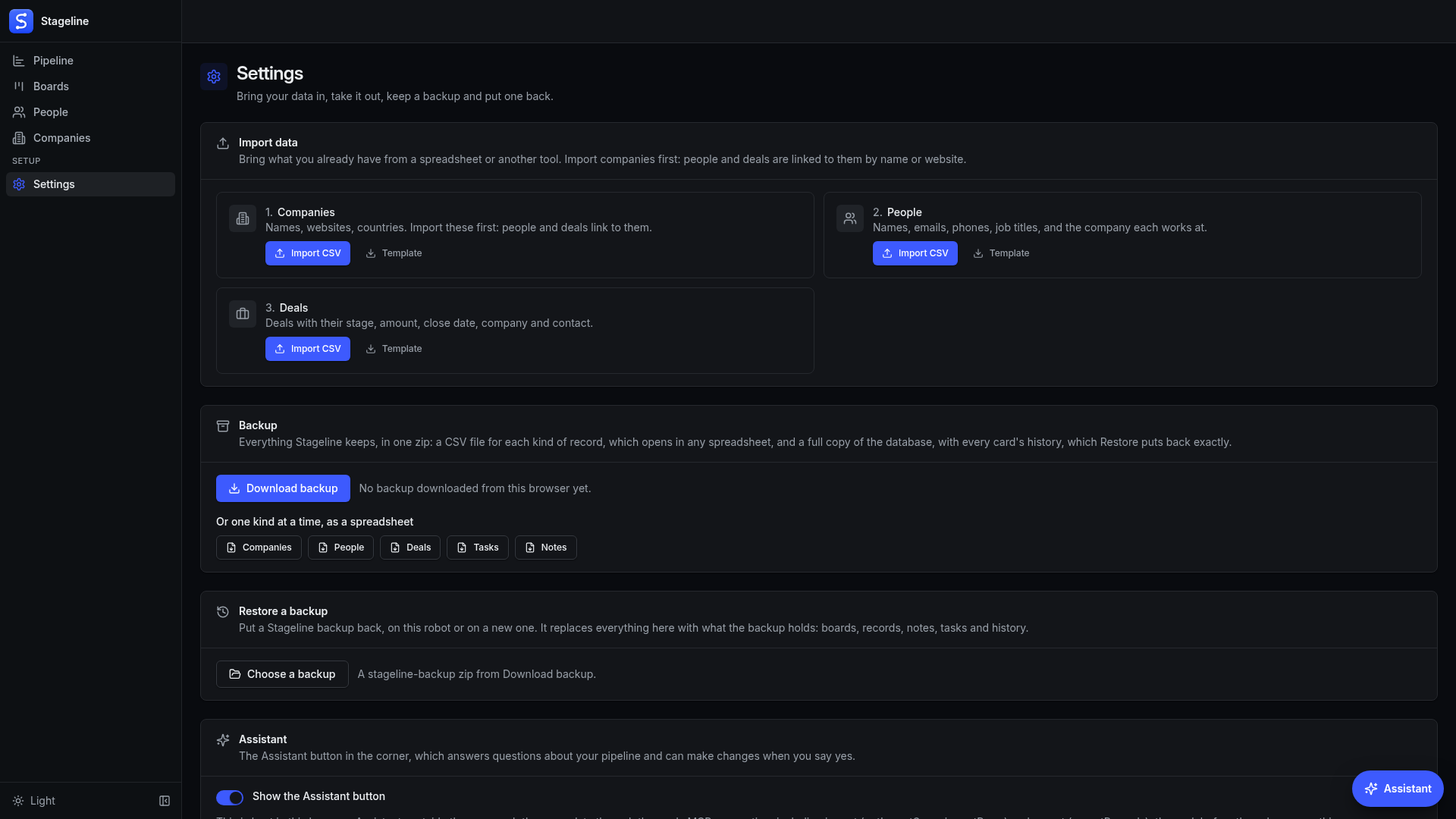
- A full backup whenever you want it: every record with its whole history in one zip, with CSV files that open in any spreadsheet, and Restore puts it back on any robot
- An assistant that asks first: it answers questions about your pipeline, and it moves, adds or imports only after you say yes; outside assistants reach the same actions over MCP
Questions
What do I need to run it?
Nothing but a robot. Install it, press Run, and open it; there is no account to create and no key to paste. It starts with an empty Deals board and a Tasks board.
Where does my data live?
On your robot, in one database file. Settings backs it up as a zip file beside it and restores from one. You can also download a full backup any time, with every record and its history, and restore it on the same robot or another one.
How do I bring my existing records in?
Open Settings and pick Import data. Download the template for companies, people or deals, or bring a CSV exported from another CRM. The import matches the columns, shows every problem before anything is written, and links people and deals to their companies.
Can I change the stages and boards?
Yes. Add, rename, recolour, move and hide stages from the board itself, and make as many boards as you like, each with its own filters.
What does it cost to run?
Nothing per seat, and no subscription for your data. It runs on your own robot.
Can I change it?
Yes. Clone it and it becomes your own app in the Designer, flow and screens included.
Reviews
Join our Discord Community
Connect with 5,000+ members. Get help, share experiences, and collaborate on automations.